Live Preview
In the wild
Appearance
Pattern Style
Colors
Logo
Mosaic
Higher levels allow the QR code to be scanned even if damaged or covered (e.g., by a logo), but result in a denser code.
Quiet zone (margin) around the QR matrix. ISO specification recommends at least 4 modules for reliable scanning. Applies to image exports (wallet cards retain a fixed 4-module quiet zone).
A QR code generator that stays free
Make a QR code that opens the phone’s dialer with your number ready. People scan it instead of reading and typing the digits.
Read the no-ads pledgeAbout Phone QR Code Generator
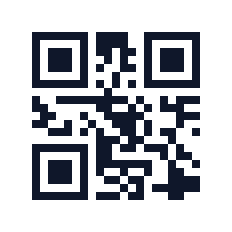
Key Features
- Opens the dialer with your number
- Made in your browser
How to Create a Phone QR Code
Make a code that opens the dialer with your number.
Enter the number
Type the number people should call, with its country code.
Style it
Pick colors and shapes if you like.
Download it
Save the code for print or screens.
Frequently Asked Questions
The phone shows the number and offers to call it. The call only starts when the person confirms.
- A “call us” code on a van or shop window.
- A pet tag, luggage tag or bike.
- A support line on a product or manual.
- Print the number in text next to the code for anyone who cannot scan.
- Seal or laminate codes that live outdoors so the ink does not fade.
- Start the number with + and the country code, such as +1 or +44, if the code may travel.
- Scan the code and read the number on screen before you print.
- If the line has opening hours, print them beside the code.
The number is put into the code in your browser and never sent to QRCraftly. Anyone can read a printed code, so use a number you are happy to share.
How QRCraftly keeps data in your browser